Storage space and monthly download limit per player at pisignage.com
Every licensed player brings 1 GB of storage and 10 GB of monthly downloads, and you can add more.
Storage space
Each account gets 1 GB of storage per licensed player. For example, 5 players give you 5 GB. You can add extra storage at any time. It is billed monthly from your subscription credits.
Increase your storage
- Open Subscription and License from the left menu. The Available Storage card shows your total, used and extra storage. Click Edit storage.
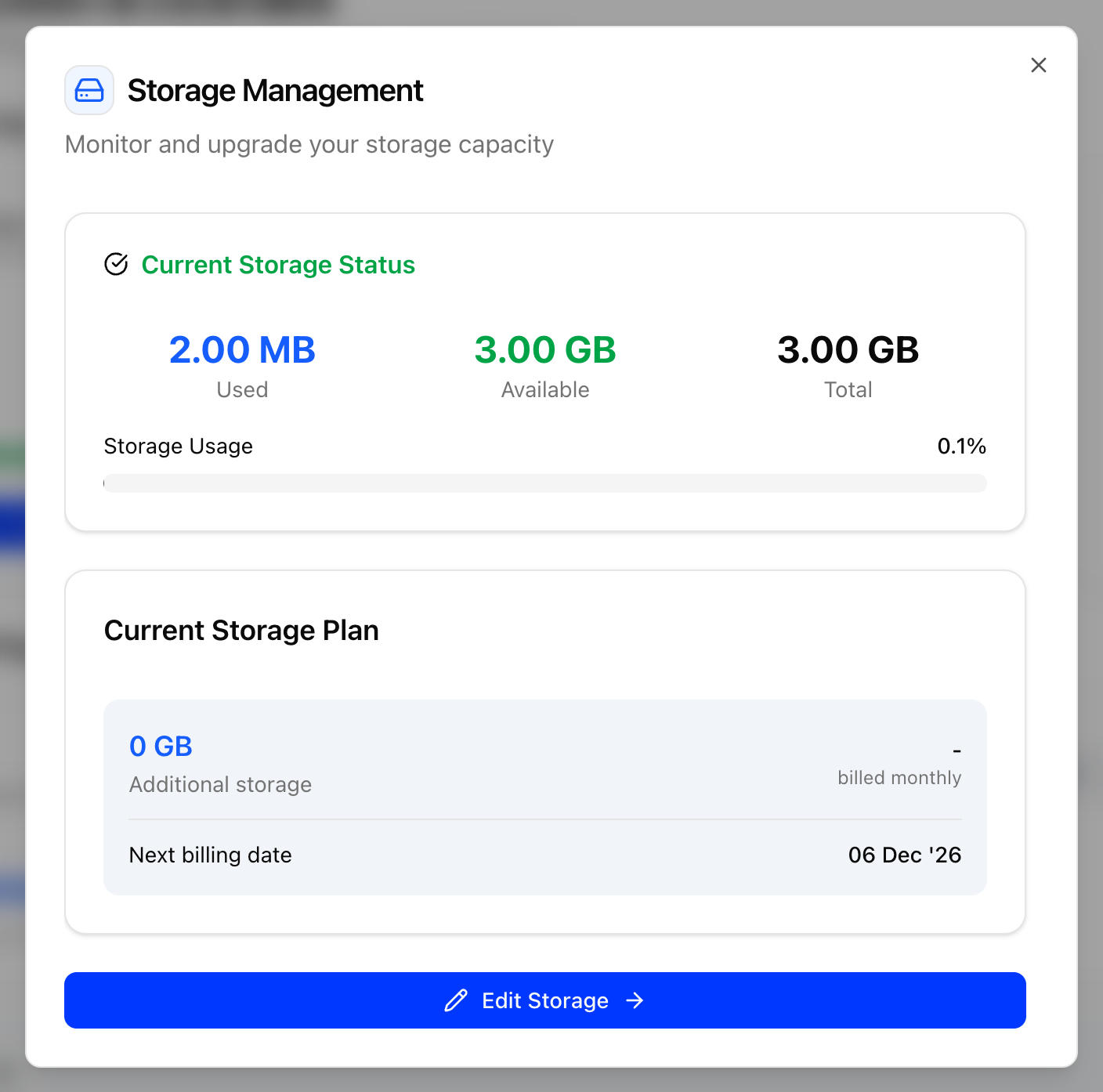
- The Storage Management dialog shows your current storage and plan. Click Edit Storage.
- Set the storage you want in GB, in multiples of 2, with the plus and minus buttons.
- Check the summary. Every 2 GB costs 1 credit per month, taken from your subscription credits, which brings your subscription end date earlier.
- Click Confirm Changes.
An increase is available immediately. A reduction takes effect at the end of the current billing cycle. See Subscriptions and Licenses for more.
The legacy UI has no storage option. Write to support@pisignage.com for extra storage.
Download limit per player per month
- Each licensed player allows 10 GB of content downloads from the server per month. The limit is shared across the account, so 5 players give you 50 GB per month.
- Every 1 GB of extra storage adds 5 GB to the monthly allowance.
- The counter resets on your billing date.
- The current month's upload and download figures are under Content Upload/Download on the Subscription and License page.
When the limit is reached
| Usage | What happens |
|---|---|
| 80% | A warning email goes to the account email address. |
| 100% | Only one deploy per group per day is allowed until the next billing cycle. |
| 150% | Player downloads are disabled until the next billing cycle. |
To continue before the next cycle, reset the download counter from the Subscription and License page. A reset costs 1 credit per 16 GB downloaded. You can also write to support@pisignage.com.
Tip
Players download only the files they do not already have. If your playlists change often, add a playlist at the end of the group schedule with no days selected that contains all your assets. The files then stay on the player and are not downloaded again.