This player is powered by pisignage.com
The ticker message means there is a licensing problem - here is how to fix it
The "this player is powered by PiSignage" message appears whenever there is a licensing problem with the player. These are the points to check.
How licenses work
- Licenses are generated at pisignage.com. For a self hosted or open source server, the license is uploaded to that server.
- After a player is registered at pisignage.com, the license file is emailed to the registered address. You can also download it from the view button in the license count.
- A license is generated on registration only if the total licenses available is greater than the licenses used.
- Licenses are tied to a username (not an email address) or, for white labelled servers, to a domain name. If the username or domain does not match, the license is invalid.
- If you buy licenses after registering a player that has no license, register the player again.
- A license downloads only when the player is connected to the server.
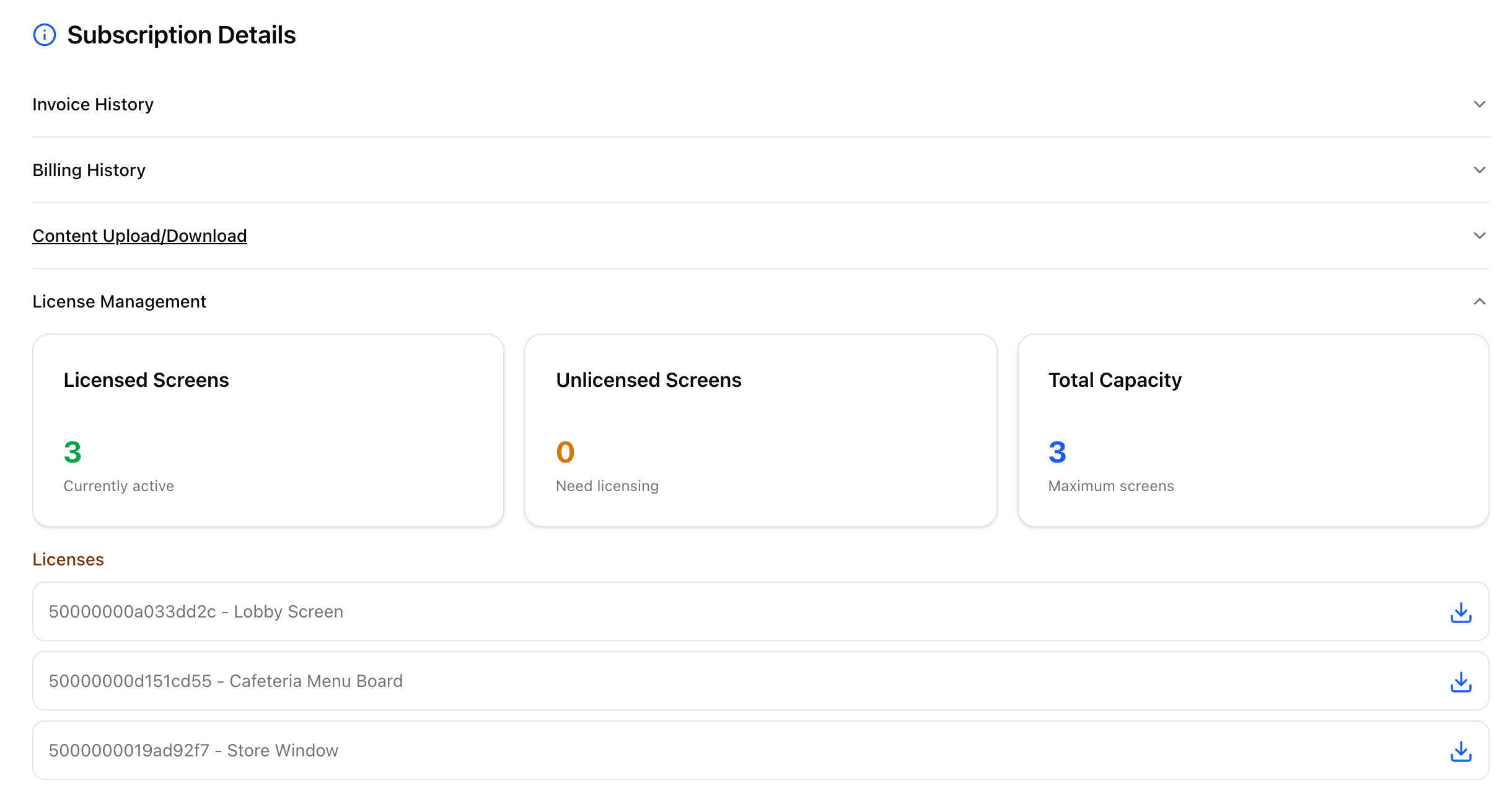
Subscriptions and Licenses covers licensing a registered player with the License player action.
Open source server
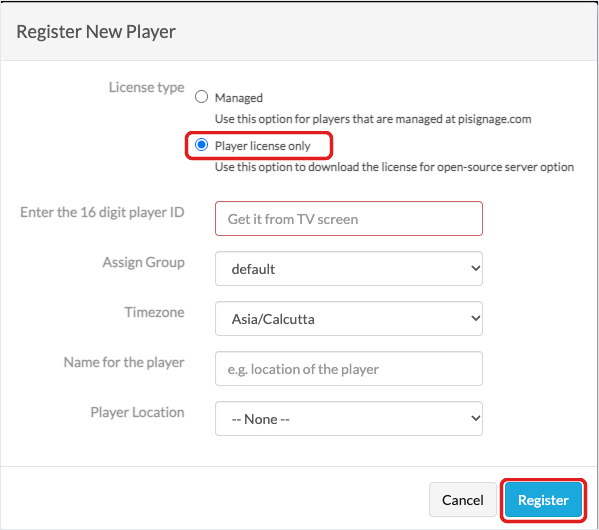
Register the player with a player-only license. Use a managed license if you have a pisignage.com subscription.
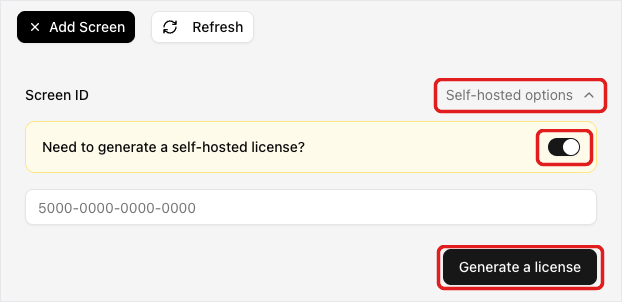
- New UI: Go to Screens and click Add Screen. Click Self-hosted options and turn on Need to generate a self-hosted license?. Enter the Player ID and click Generate a license.
- Legacy UI: Go to Players and click Register a Player. Select Player license only, enter the Player ID and click Register.
On open source servers, the installation name in Settings must exactly match your pisignage.com username (not your email). The username is case-sensitive.
Player licenses for the open source server are a one-time $25, see Player licenses for local servers.
Old licenses
Player-only open source licenses generated between Oct 7, 2018 and Oct 11, 2018 may cause license issues. Regenerate them (they will not count against your total) and download them again.