Documentshow-to-get-the-mac-address-of-the-player
How to get the MAC address of the player
Hover over the player in Screens, or read it off the welcome screen.
In the new UI
- Open the Screens tab.
- Hover over the Player ID, or the IP address under the player name.
- A card appears with the player's IP address, MAC address, version, uptime and temperature.
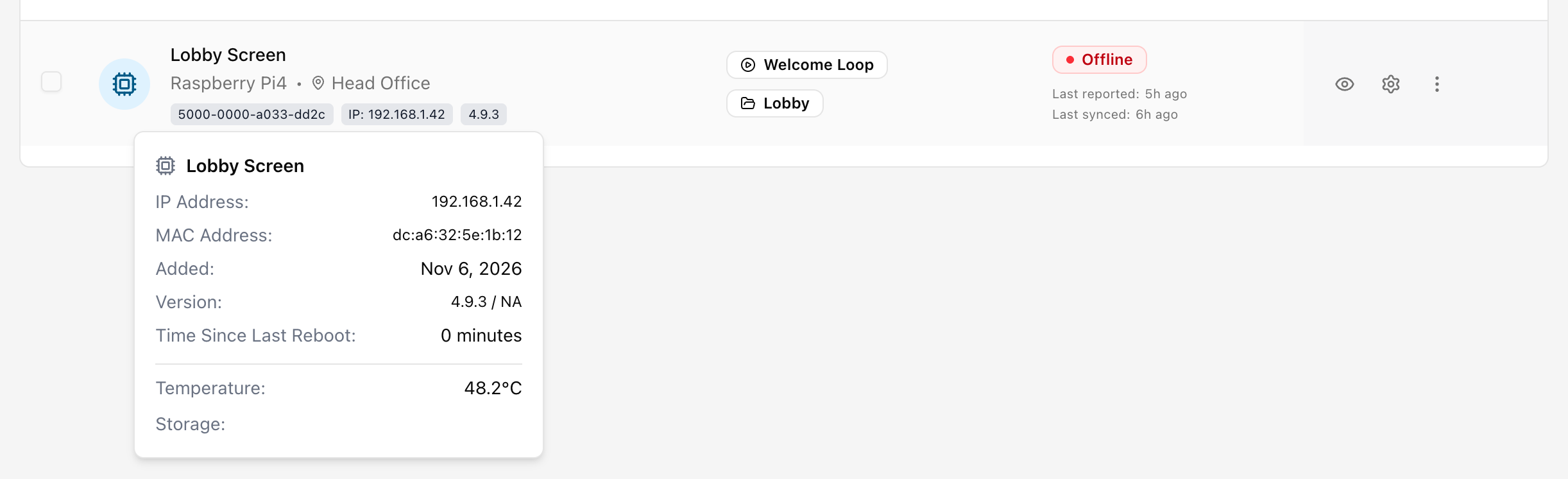
See Screens for more on the hover details.
In the legacy UI
Click the IP address shown for the player in the players screen. A popover lists the MAC addresses of that player.
On the player
The welcome screen of the player shows both the Ethernet and the Wi-Fi MAC address.