How to add the weather widget
Take the example weather file, set your city and upload it as an asset.
- Start from the example weather files on GitHub, such as
weather.htmlor one of the other files in the folder: github.com/colloqi/piSignage/tree/master/examples/weather. - Change the city at line 160 of the file.
- Upload the edited file from Assets with Add Asset.
- Add the weather file to a playlist so it plays.
Check that the file still works with your player before rolling it out. If you want a ready-made weather screen, see App Store, or write to support@pisignage.com for a custom widget.
You can also place the weather file in a zone of a custom layout. See How to design a custom template.
New interface: ready-made weather apps in the App Store
In the new PiSignage interface you no longer need to edit an HTML file. The App Store has ready-made apps for weather, news, clocks, video and more. Open it from App Store in the left menu, or go to pisignage.com/v2/app-store after signing in.
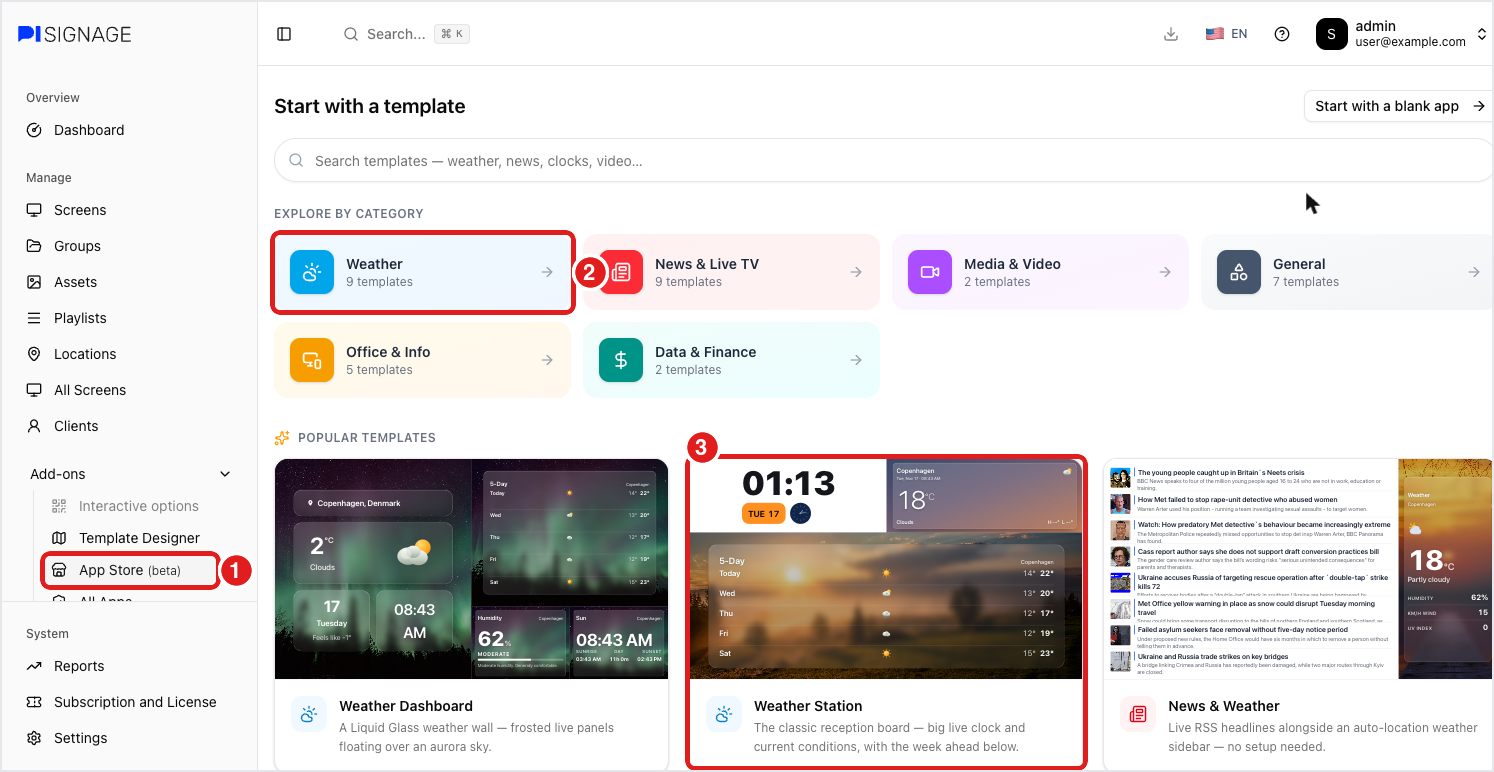
- Click App Store in the left menu.
- Under Start with a template, click Weather to see all weather apps, or pick one from Popular templates.
- Click a weather app, for example Weather Station.
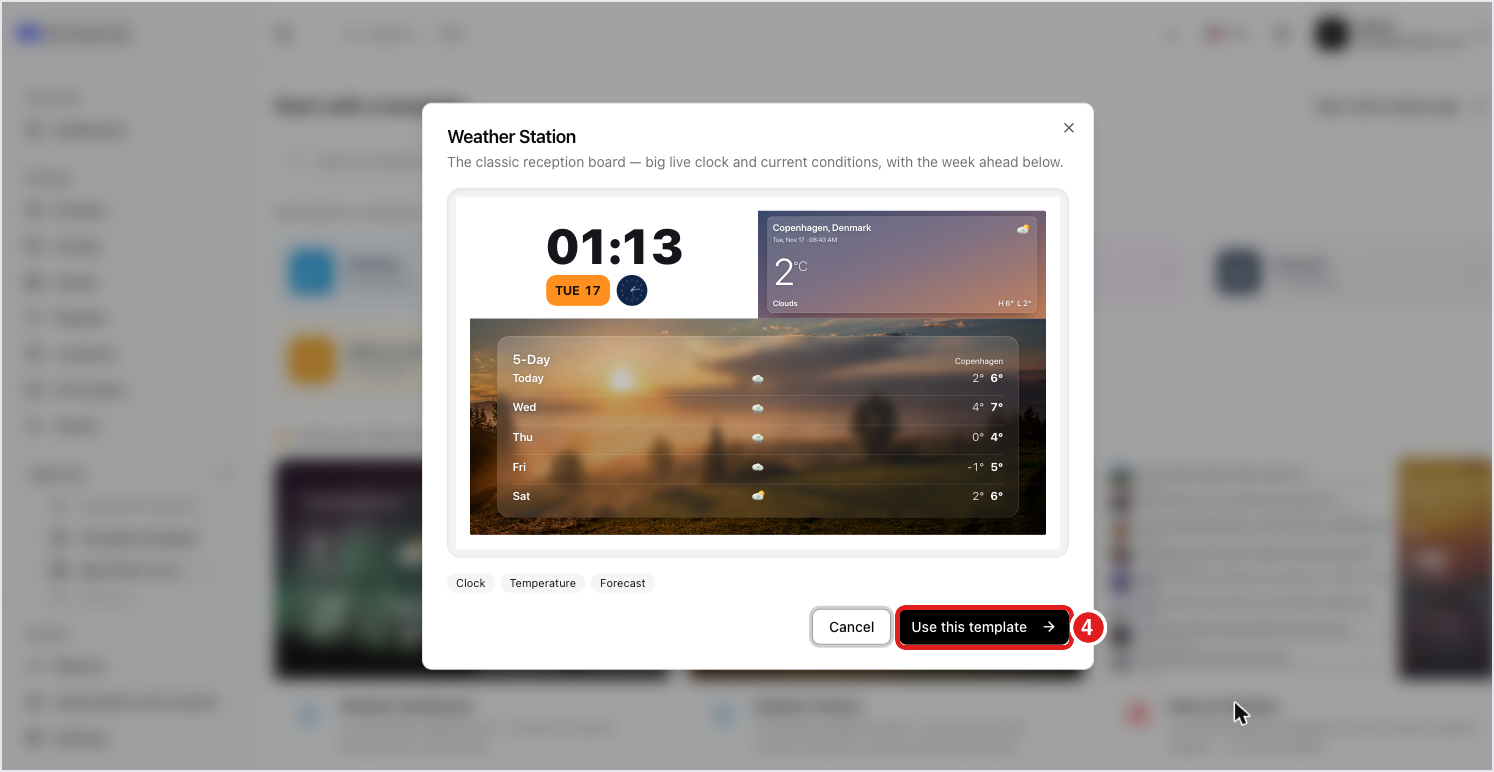
- Check the preview and click Use this template.
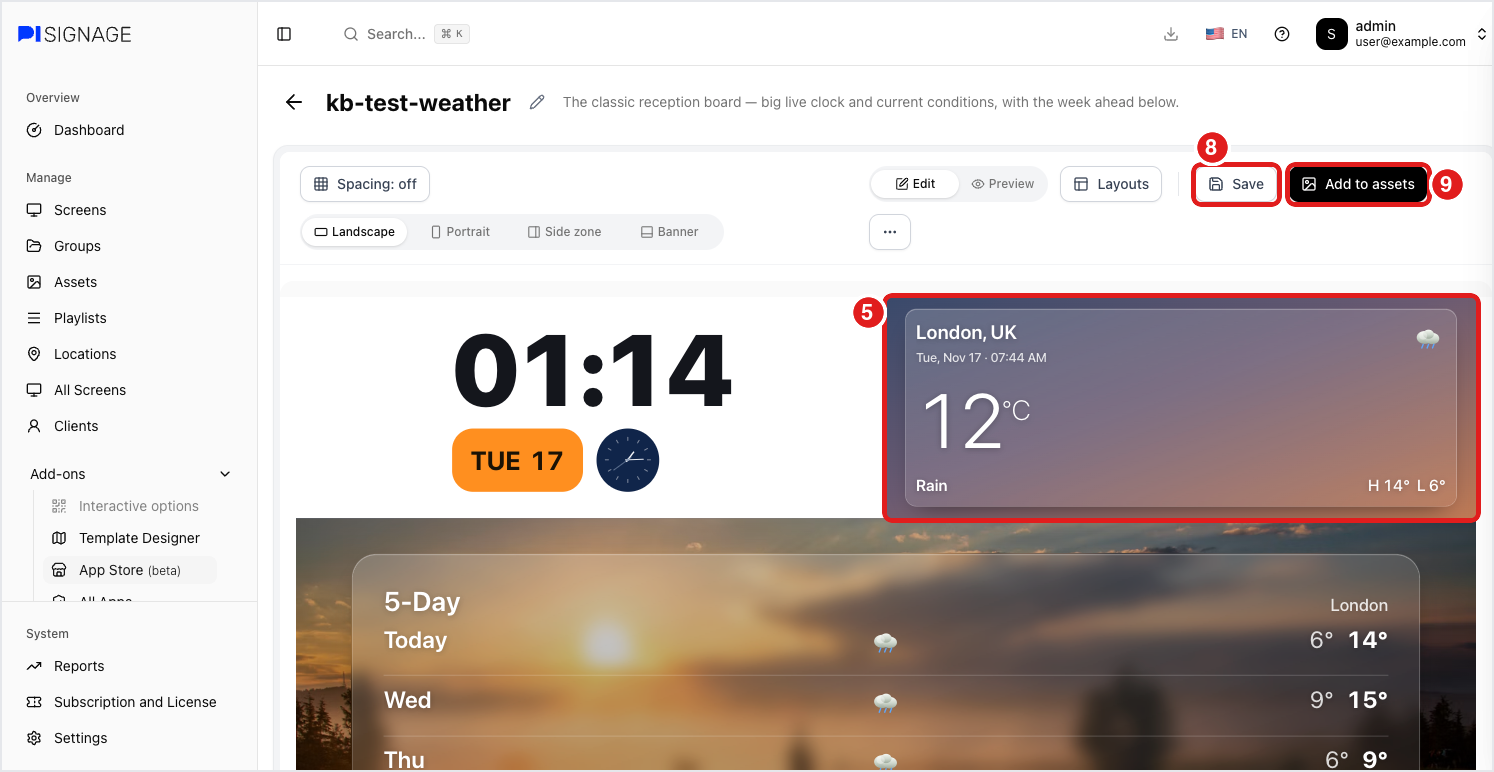
- The app opens in the editor. Click a weather panel to edit it.
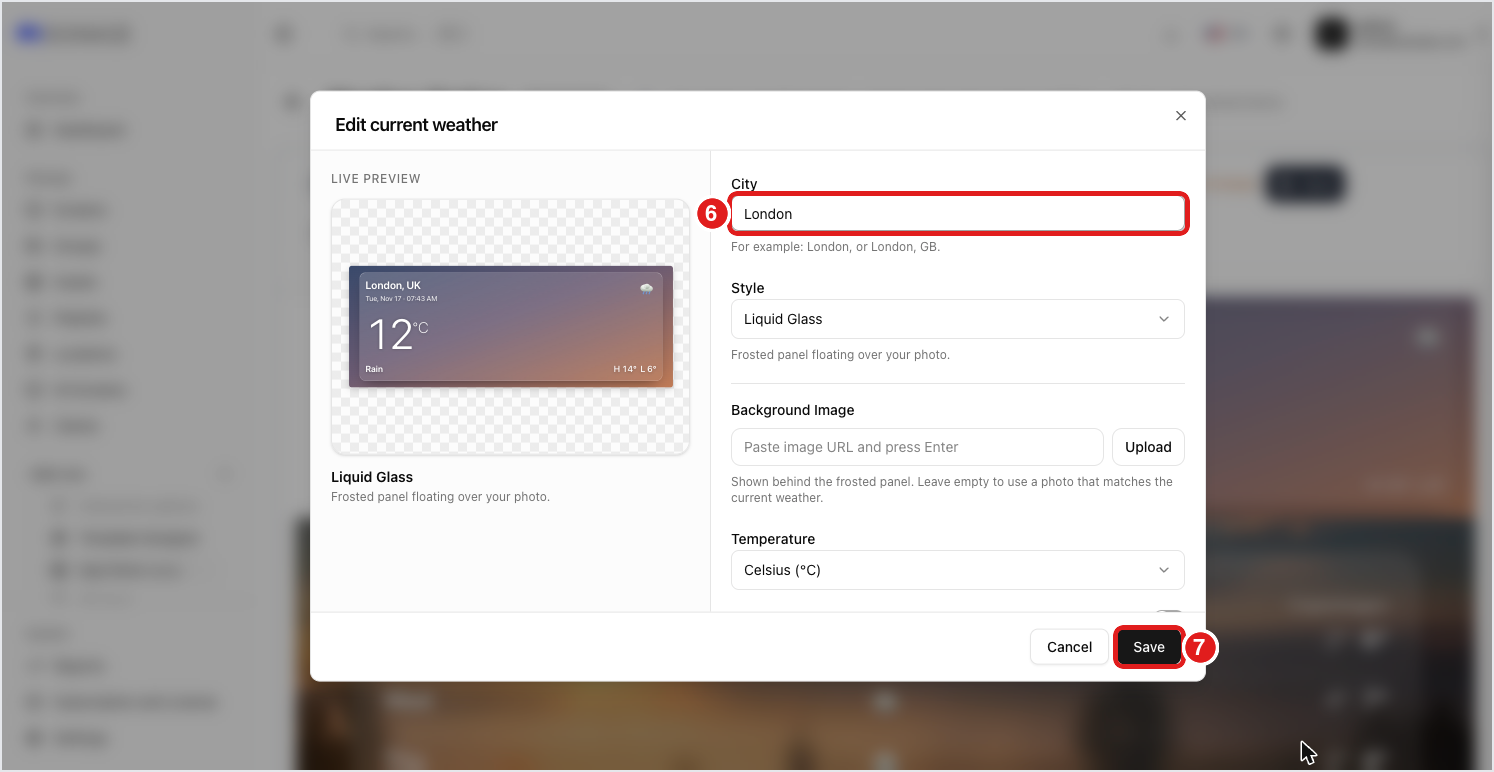
- Type your City, for example London or London, GB. The live preview updates right away. You can also change the style, background image and temperature unit here.
- Click Save. Repeat for the other weather panels, such as the 5-day forecast.
- Click Save to save the app. You can rename it with the pencil icon next to its name.
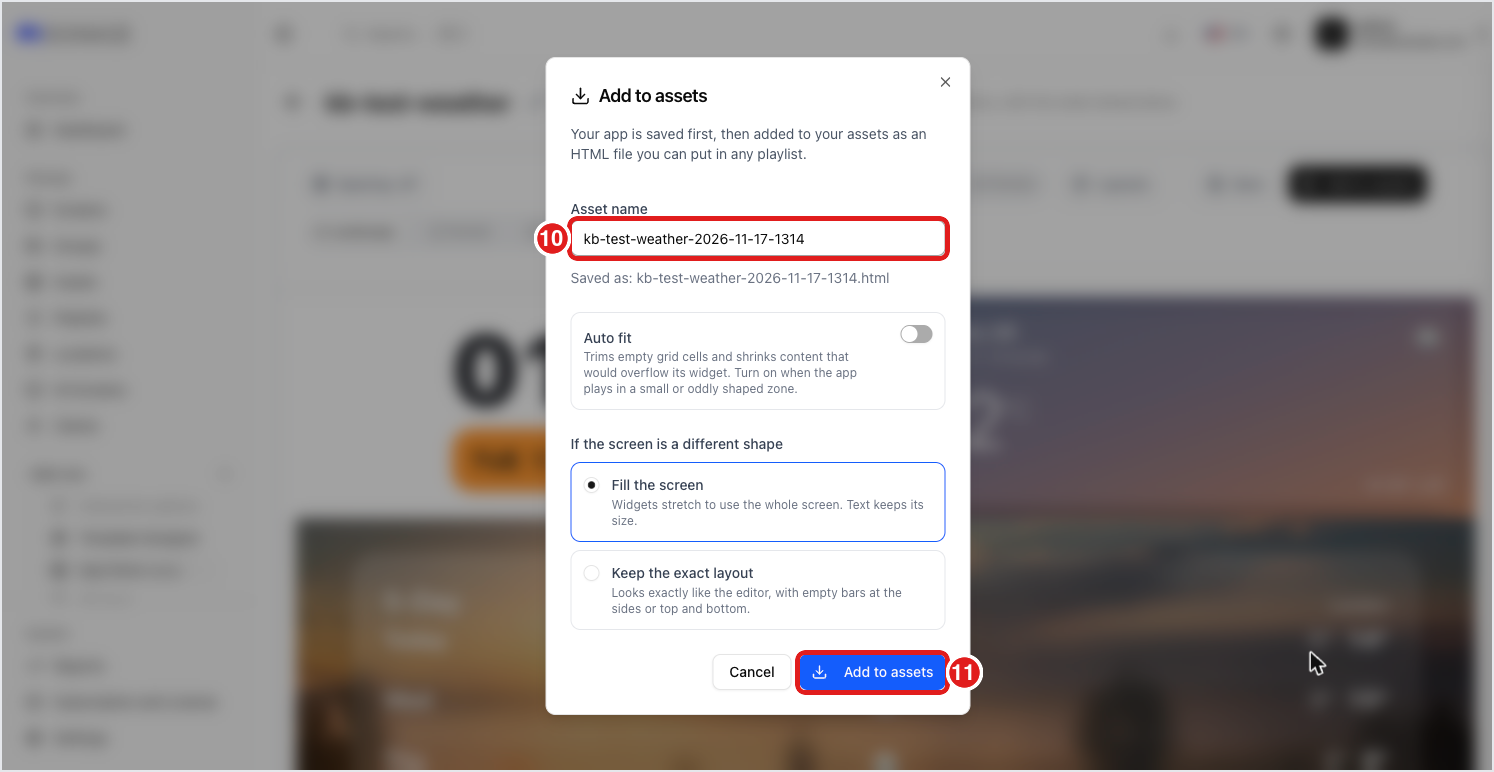
- Click Add to assets.
- Enter an Asset name, or keep the suggested one.
- Click Add to assets. The app is added to your assets as an HTML file.
Add the new asset to a playlist and deploy it to your group. The weather updates live on the screen, so the player needs internet access. To change the city later, open the app from My apps in the App Store, edit it and add it to assets again.