Documentsticker-messages-and-styles
Ticker messages and styles
Show scrolling text or an RSS feed at the bottom of the screen, for a group or a playlist.
A ticker can be placed at the bottom of the screen at the group level or the playlist level. A playlist ticker overrides the group ticker. The ticker can show text messages you enter or messages from an RSS feed. See also Groups and Playlists.
Where to set it
- Group ticker: go to Groups, open the group and click Ticker (top right).
- Playlist ticker: go to Playlists, open the playlist, open the Settings tab, click Ticker and enable it.
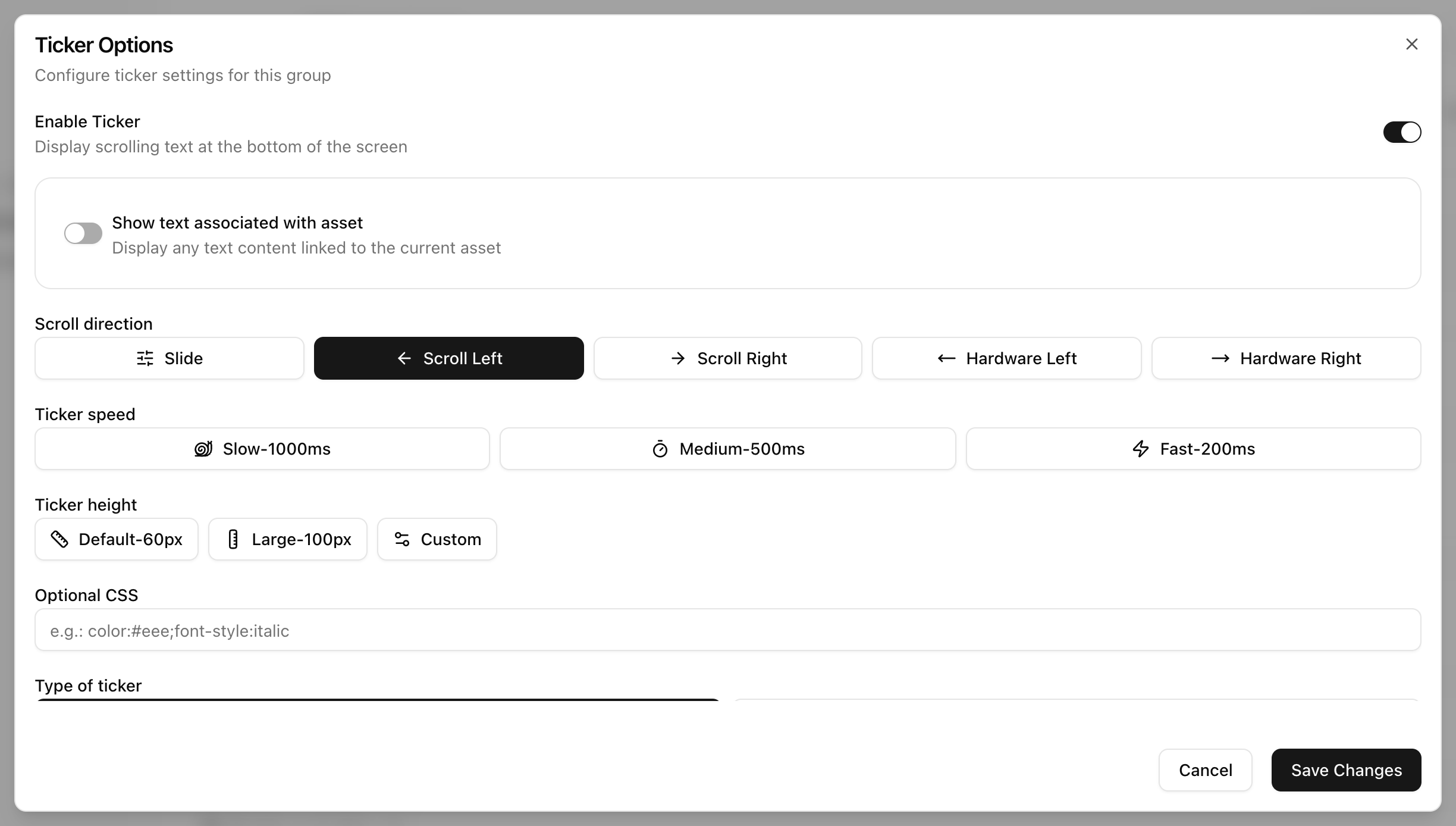
Options
- Scroll direction:
- Slide shows one line at a time, each for 10 seconds.
- Scroll left and Scroll right scroll all lines in one row.
- Hardware left and Hardware right use the player's hardware ticker for smoother scrolling. If the player has no hardware ticker, they fall back to Scroll left or right.
- Ticker speed: Slow, Medium or Fast.
- Ticker height: 60 px (default), 100 px or Custom.
- Optional CSS: styles the text. For example:
color:#eee;font-style:italic - Type of ticker:
- Text shows one message per line.
- RSS feed needs the feed URL and refreshes every 10 minutes. Turn on binary encoding if some characters do not display correctly. Turn on the description field to show item descriptions instead of titles.
- Show text associated with asset: shows the Text Overlay of the playing asset in the ticker. Set the overlay with the T icon on the asset's row in the playlist.
Placeholders
On Raspberry Pi and Linux players these placeholders in a message are replaced with the player's values: player name, IP address, player ID and connection status.
__playername__
__ipaddress__
__cpuid__
__connectionstatus__
See Player specific content in links, ticker and text message for more. To style the ticker see Is it possible to customise the style of the ticker.
In the legacy UI
The ticker can be scrolling text (right to left or left to right) or slide up from the bottom. You can apply CSS styling in the Ticker popup and set the speed there as well.