Documentsvideo-is-not-playing-full-screen-or-getting-cropped
Video is not playing full screen or getting cropped
Most of the time the TV resolution and the PiSignage resolution do not match.
The player receives the TV resolution over HDMI. If it does not match the resolution set in the group settings, the video will not play full screen. Try one of these.
- Match the player to the display. On Raspberry Pi players, edit the
hdmi_modeandhdmi_groupparameters in/boot/config.txtso they match your display. See Supporting different display types for how. - Match the TV to PiSignage. Change the TV settings so they match the resolution set in the group settings, see Groups. The default resolution is auto, which reads it from the TV.
- Map the video to the display. Set the player resolution higher than the display resolution. Then in the layout popup set the custom video window parameters to the display resolution.
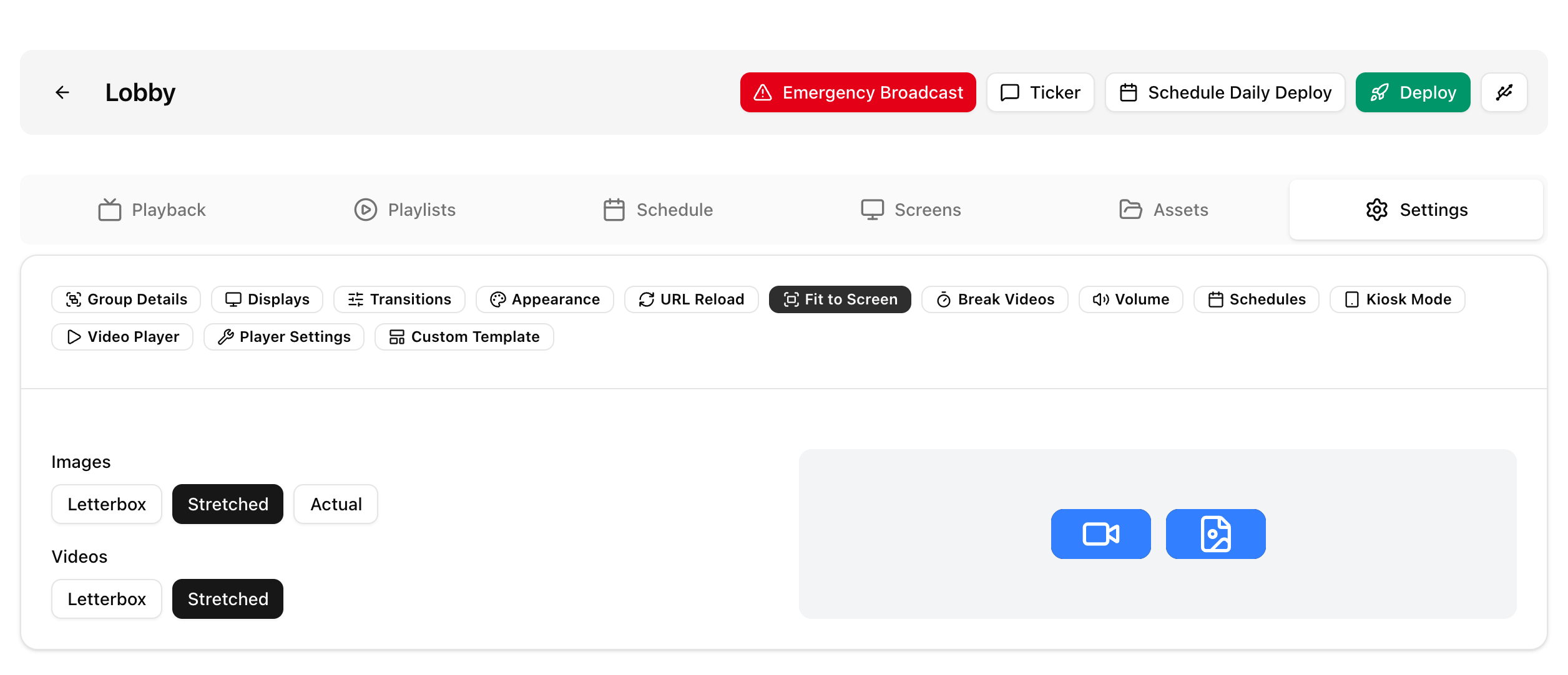
Also check the Fit to screen option in the group settings (Letterbox, Stretched, Actual). Stretched fills the screen. See Image and Video sizes for the pi player.