Documentshow-to-purchase-licenses-and-subscription-at-pisignagecom
How to purchase licenses and subscription at pisignage.com
Buy licenses and renew subscriptions from Subscription and License in your account
Subscriptions and Licenses is the main page for this and always has the latest plans. Here is the short version.
Prices (per screen, USD)
| Item | Price |
|---|---|
| New screen (player license + 1 year subscription) | $35 |
| Renewal for an existing screen | $20 per year (12 credits), monthly renewal is also available |
| Player license only (open source or self hosted server, no subscription) | $25 |
| First 2 screens of every account | Free |
The $35 is the $25 one-time player license plus the $20 yearly subscription, with a $10 discount for buying them together. One credit is used per screen per month on the managed service.
Accounts billed in INR pay ₹2,800 for a new screen with subscription, ₹1,600 for a renewal and ₹2,000 for a license only.
In the new UI
- Log in to pisignage.com and open Subscription and License from the main menu.
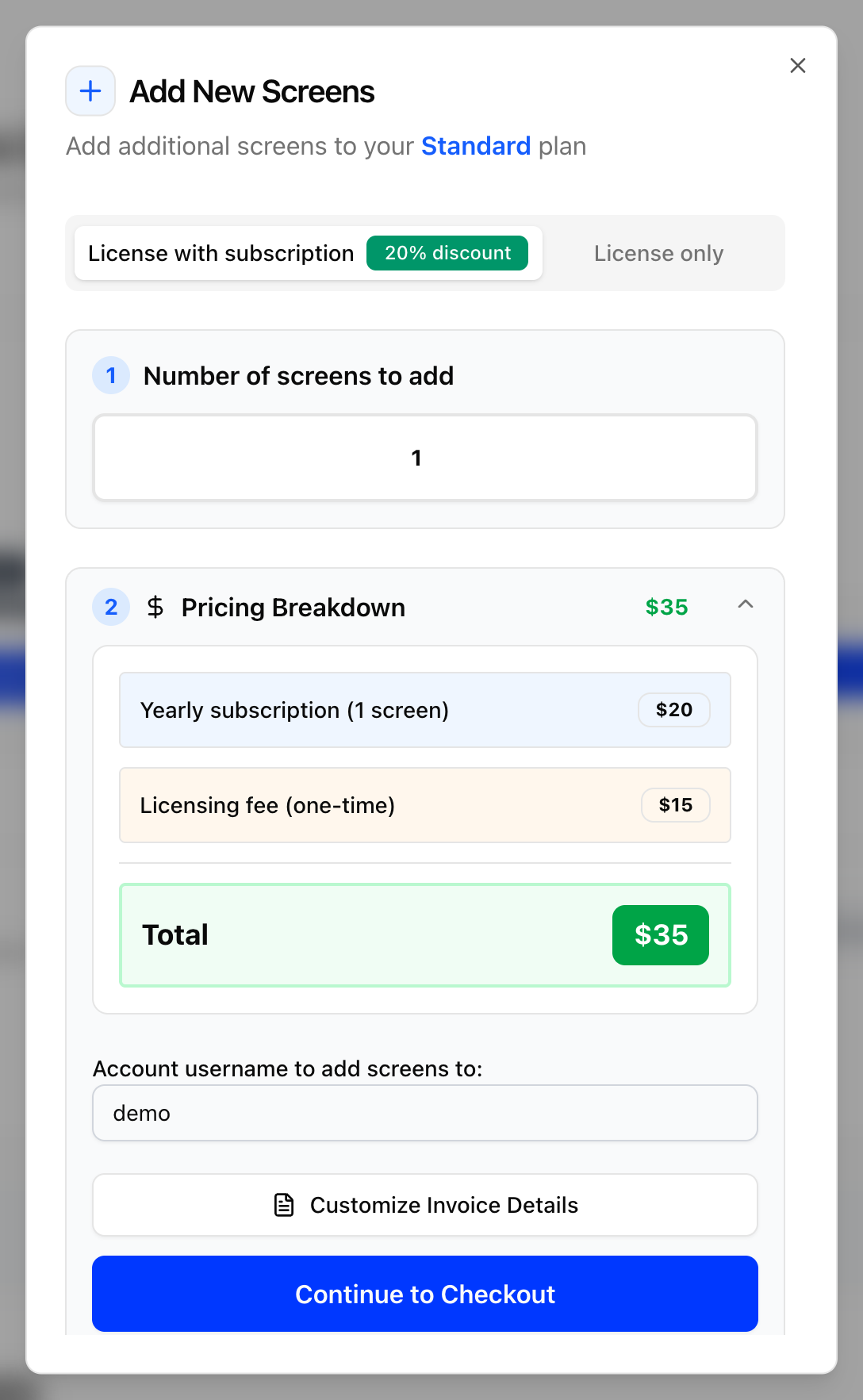
- To add screens, click Add More Screens. Choose License with subscription ($35) or License only ($25), enter the number of screens and click Continue to Checkout. Use Customize Invoice Details first if you need a company name or address on the invoice.
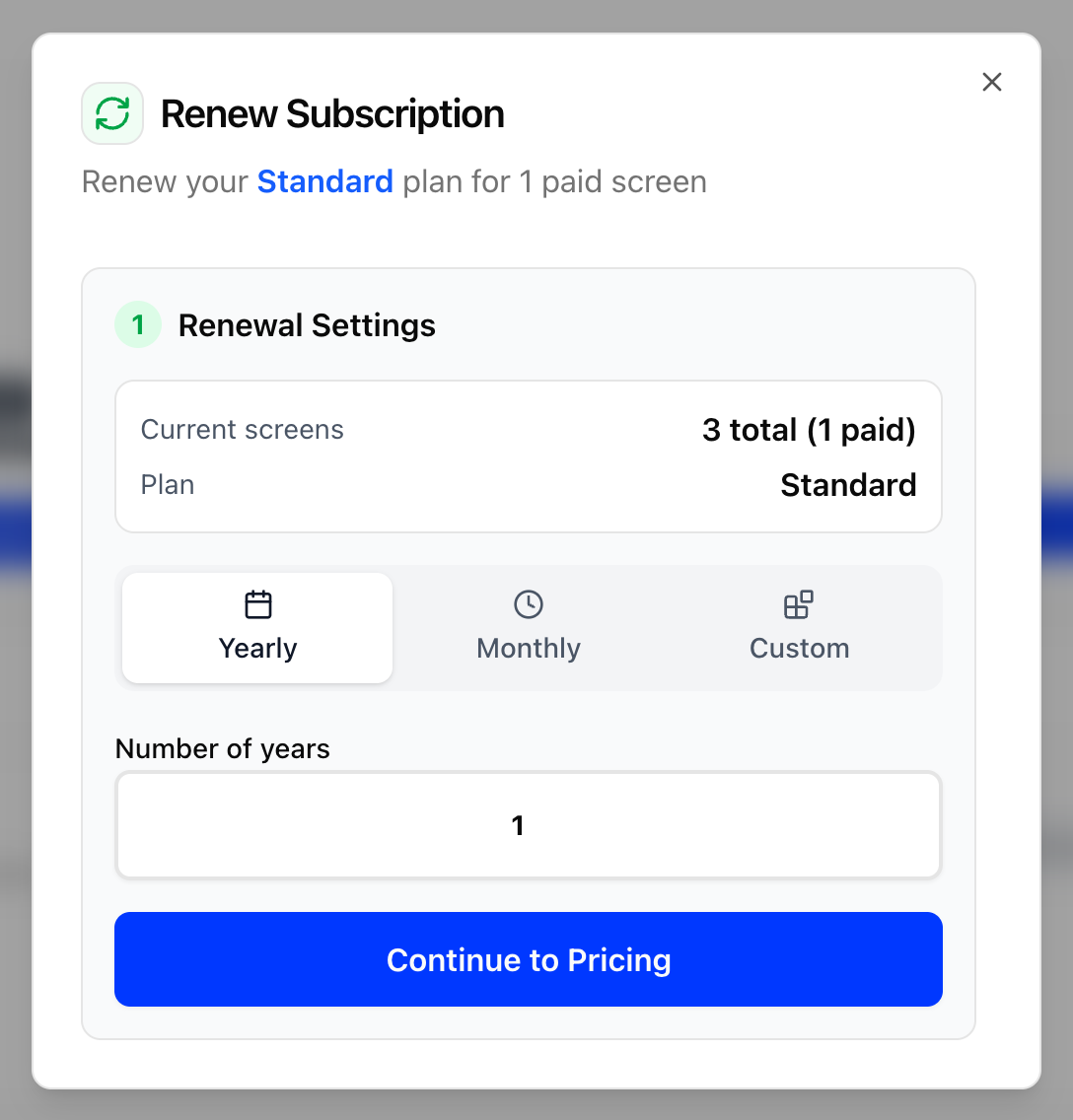
- To renew, click Renew subscription. Choose Yearly, Monthly or Custom, enter the number of years, and click Continue to Pricing and then Continue to Checkout. The renewal extends your subscription from its current expiry date.
- Pay with a card (Stripe) or PayPal, or click Pay in INR. Licenses and credits update automatically after payment. Invoices are listed under Invoice History on the same page.
In the legacy UI
- Log in to pisignage.com and go to the subscriptions tab.
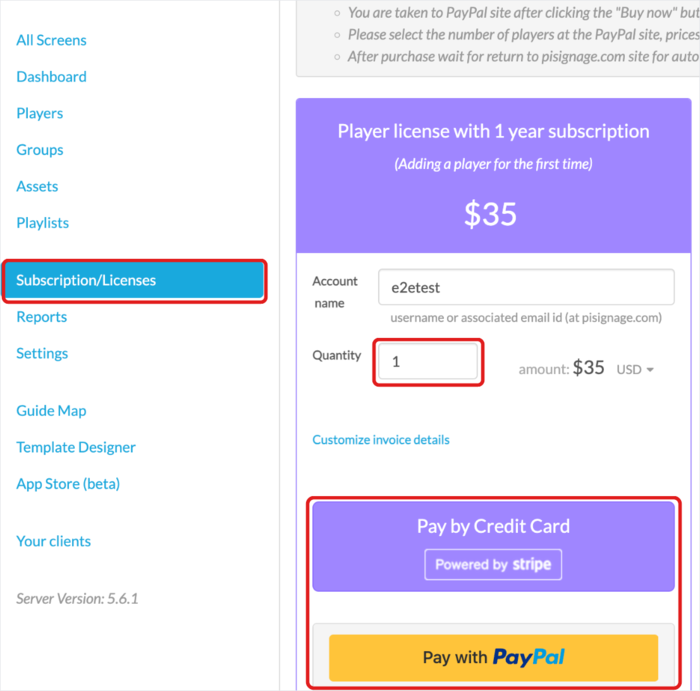
- Choose a managed license ($35, which includes the player license and a 1-year server subscription) or a player license only ($25). Renewals are $20.
- Click the relevant PayPal button, which opens a PayPal page.
- Select the quantity.
- Pay with an international credit card or a PayPal account.
- Return to pisignage.com through the PayPal URL so the licenses are updated correctly.
Facing an issue or a discrepancy? Write to support@pisignage.com.
See also How to purchase player licenses and Player subscription and credits.