Documentshow-to-purchase-player-licenses
How to purchase player licenses
Every screen needs a player license - the first 2 are free and the rest take a few clicks
Each screen needs a player license. The first 2 screens on every account are free. Additional screens cost $35 each for a license with a 1-year subscription.
Need only a player license with no subscription, for example for an open source or self hosted server? Choose License only ($25) in the new UI, or Player License Only with no subscription ($25) in the legacy UI.
In the new UI
- Log in to pisignage.com and open Subscription and License from the main menu.
- Click Add More Screens.
- Choose License with subscription ($35), or License only ($25), and enter the number of screens.
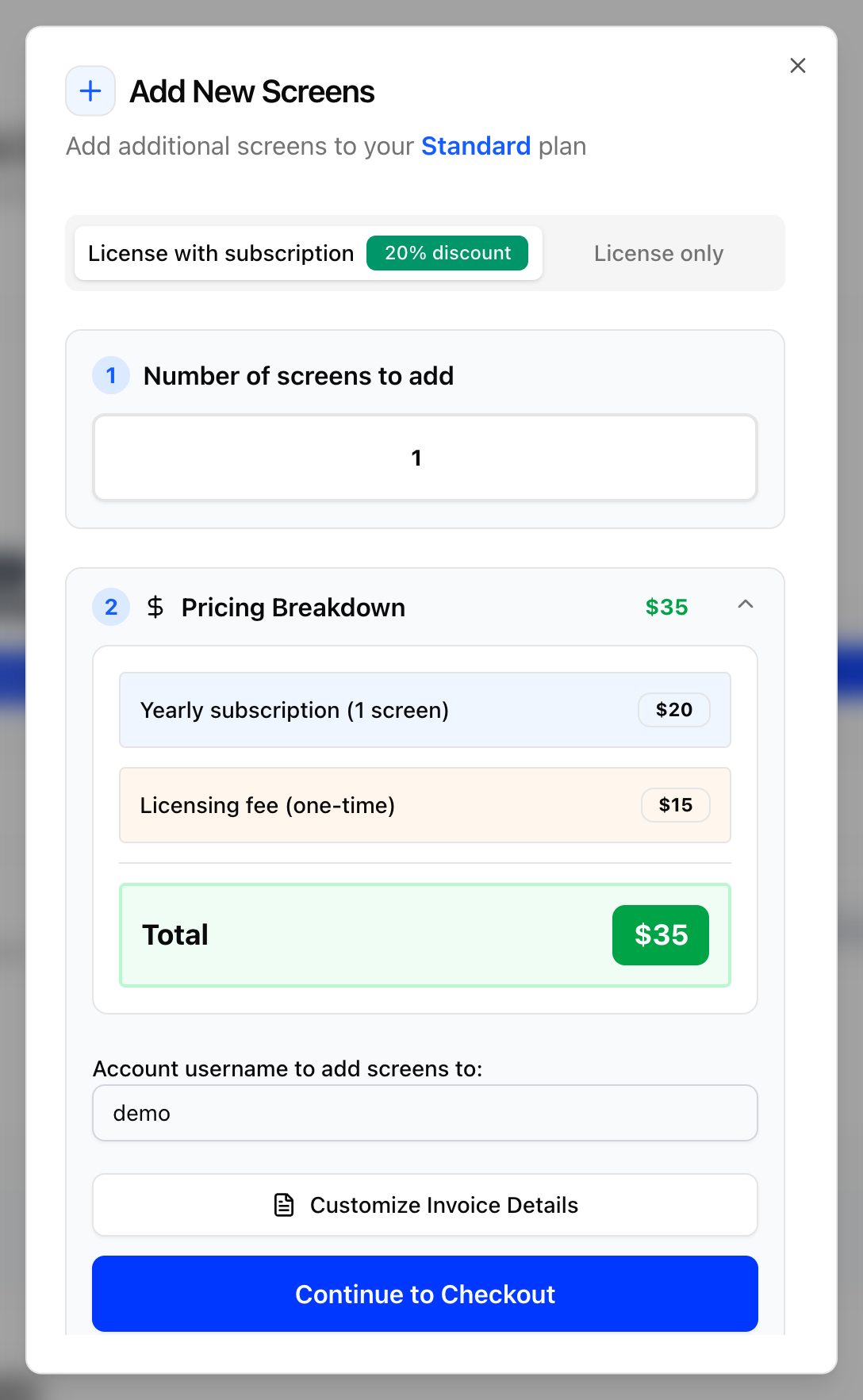
- Check the total and click Continue to Checkout.
- Pay with Stripe (credit/debit card) or PayPal. To pay in rupees, click Pay in INR.
Licenses are added to your account as soon as the payment completes. Then license your unlicensed players in Screens. Subscriptions and Licenses covers the same in more depth.
In the legacy UI
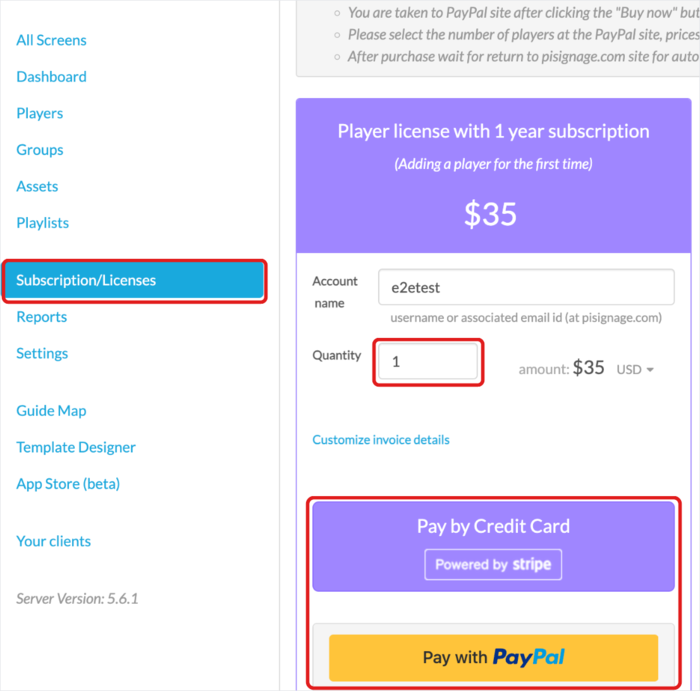
- Open Subscription/Licenses from the left menu.
- Under Player license with 1 year subscription ($35), or Player License Only with no subscription ($25), enter the Quantity and click Proceed to Pay.
- Click Pay by Credit Card (Stripe) or Pay with PayPal. After the payment, wait to be returned to pisignage.com so the licenses are updated.
See also Player subscription and credits.