Documentsindividual-player-settings-available-in-server-ui
Individual Player settings available in server UI
Players belong to a group, but a few settings can be changed for each player
Group settings apply to every player in the group. Some settings can be changed per player under the Screens page (the Players tab in the legacy UI):
- Player group: Select none to control the player individually.
- Timezone: Required for playlist scheduling to work. Set the correct timezone for every player.
- Player name: Click to edit.
- Player location: Based on the IP address and not always available. You can set your own by clicking the location field of the player.
In the new UI
Open Screens and press the Settings (gear) button on the player's row. The Player Settings panel has three tabs:
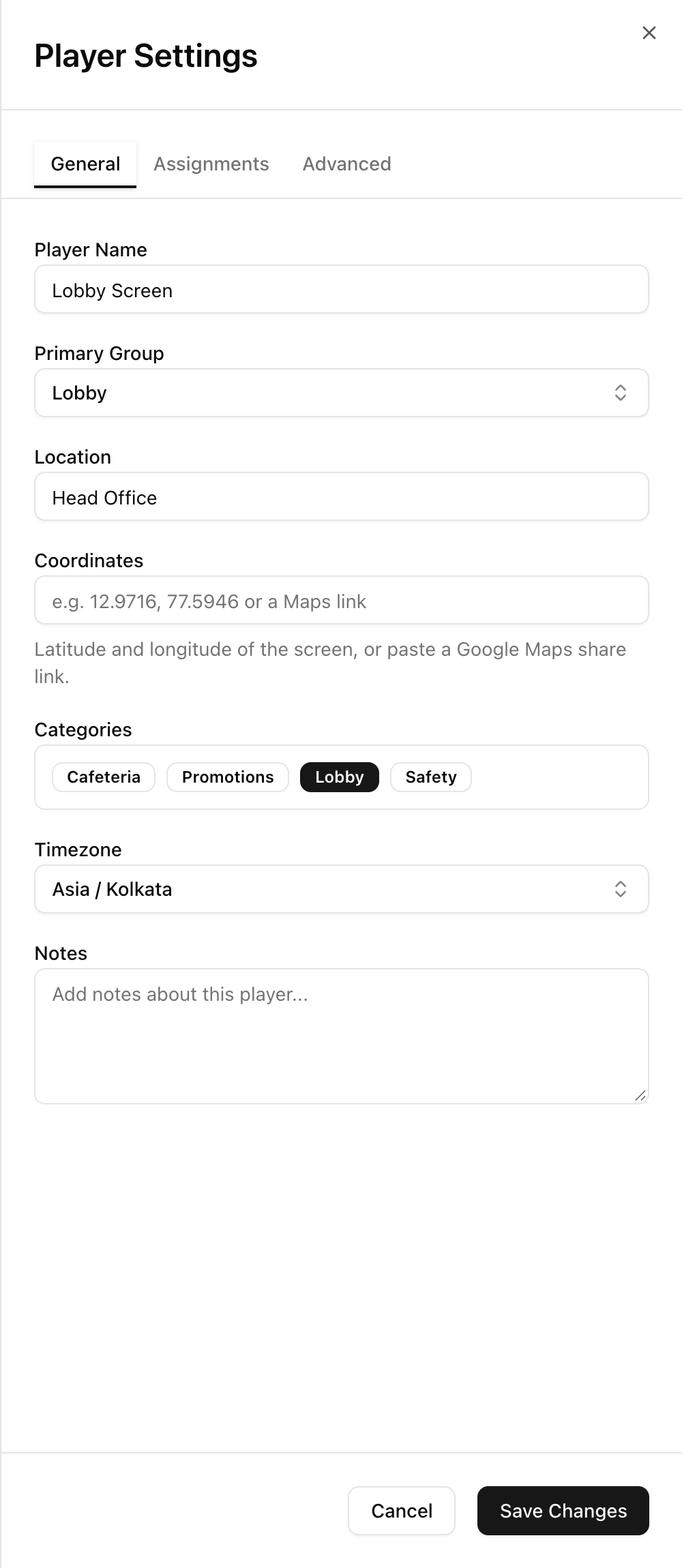
- General: Player name, Primary group (the group whose content the player plays), Location, Coordinates (latitude and longitude, or a Google Maps link, for the map view), Categories, Timezone and Notes
- Assignments: Additional groups and additional playlists for this player, on top of the primary group
- Advanced: Brightness control (for players that support it) and the Enrollment key. Reset Enrollment Key is there for when a player's SD card or network hardware is replaced.
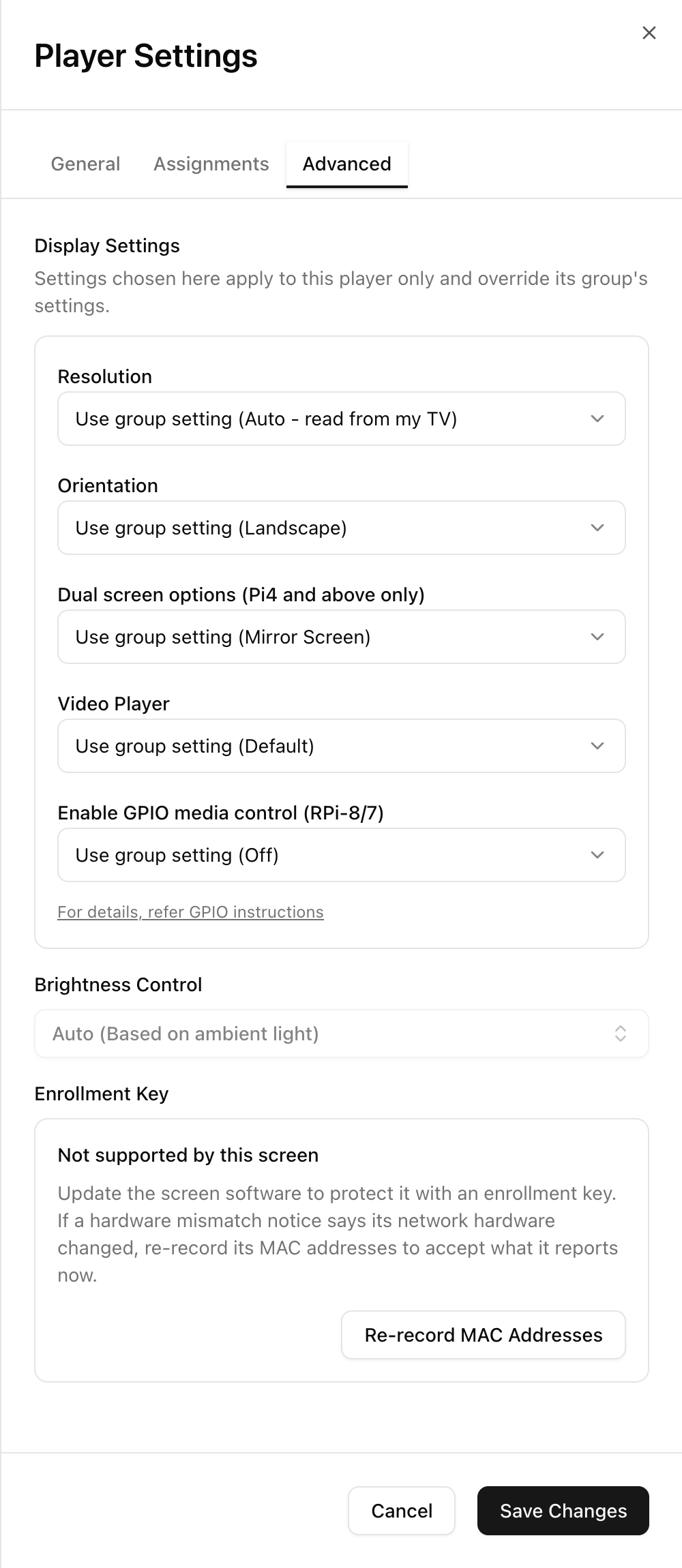
Press Save Changes after editing.
In the legacy UI
Use the player row on the Players tab and its settings popup.