Documentsplaylist-types
Playlist types
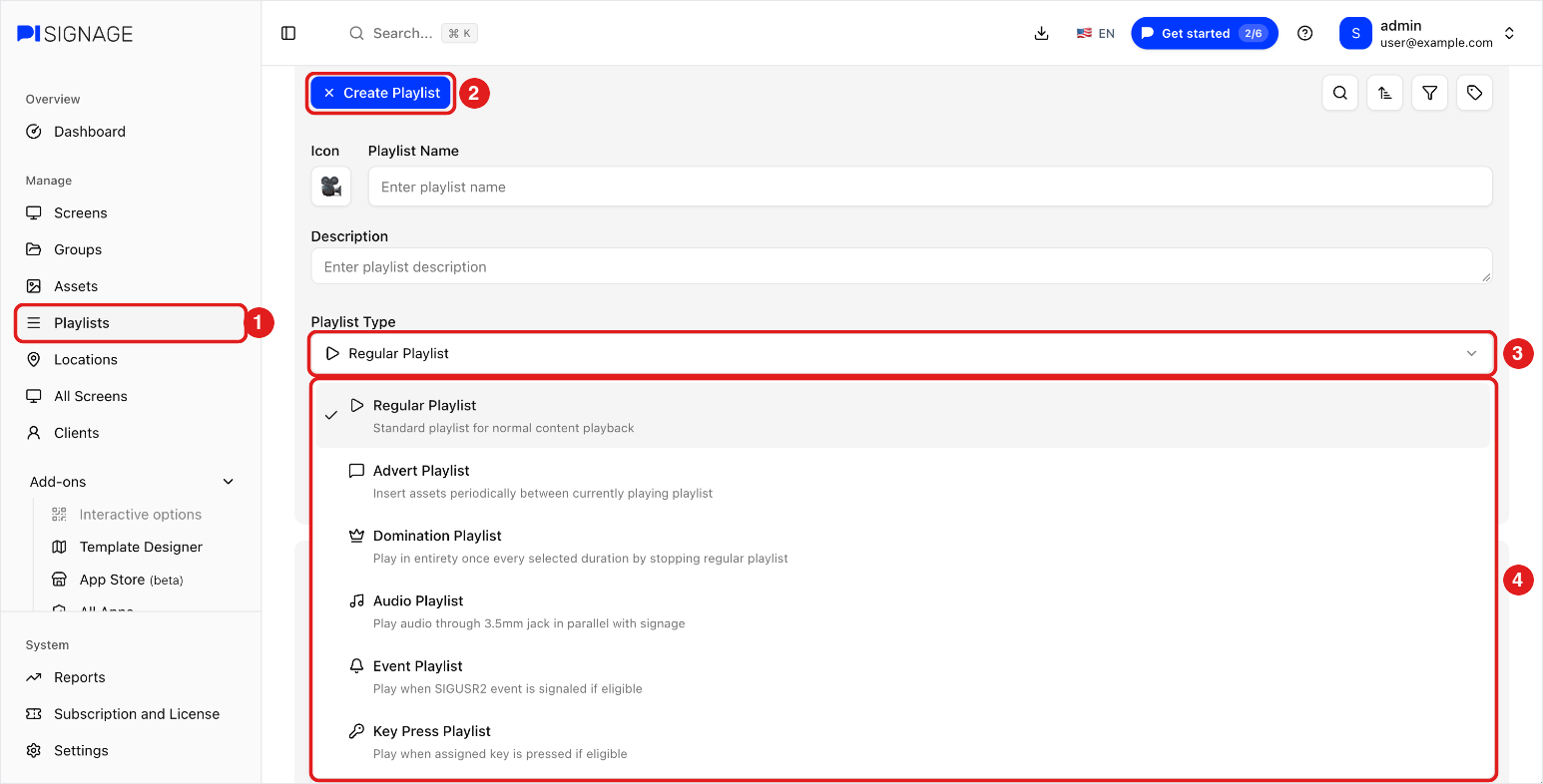
Besides regular playlists, you can set advert, domination, audio, event and TV_OFF playlists
Special playlist types are set in the playlist settings. Open the playlist and go to its settings tab. Playlists covers creating a playlist and its types.
Advertisement Playlist
- Its items are inserted between the items of regular playlists at regular intervals.
- The content can play in all zones or only in the non-main zones.
- An advert is inserted after the current asset finishes playing.
- For videos, you can pause the video after a set time and insert the advert. The pause interval for advert checks is set in Group Settings (Break Videos).
- When an advert is due, one or more assets of the advert playlist can play continuously.
Domination Playlist
Works like an advert playlist, but is scheduled at the start of a minute and plays once. The duration is set in multiples of minutes.
Audio Playlist
- Audio plays on the 3.5mm aux port at the same time as your signage content on the HDMI output.
- Only mp3 and aac files are supported.
- Audio can play in random order.
- An example use is playing lounge music in a shop.
See Audio output on 3.5mm port.
Event Playlist
Plays when an event occurs, for a set duration or until the next event. PiSignage is told about an event by sending a Linux SIGUSR2 signal to the player.
TV_OFF Playlist
A TV_OFF playlist is available under the group for scheduling. Scheduling it turns the TV off.