Scheduled TV powering ON and OFF
Turn the TV off when nobody is watching, on a schedule of your choice.
For TVs that support CEC, the player can turn the TV off when it is not in use. In every case the player sends a CEC signal to the TV and powers off the HDMI interface. If the TV does not support CEC off, it shows "No Signal". See Screens for what CEC is and its status messages.
There are three ways to do it.
A. Turn the TV off daily during a specific period
Enable Schedule TV OFF and enter the ON and OFF times.
- In the new UI, go to Group, then Settings, then Schedules.
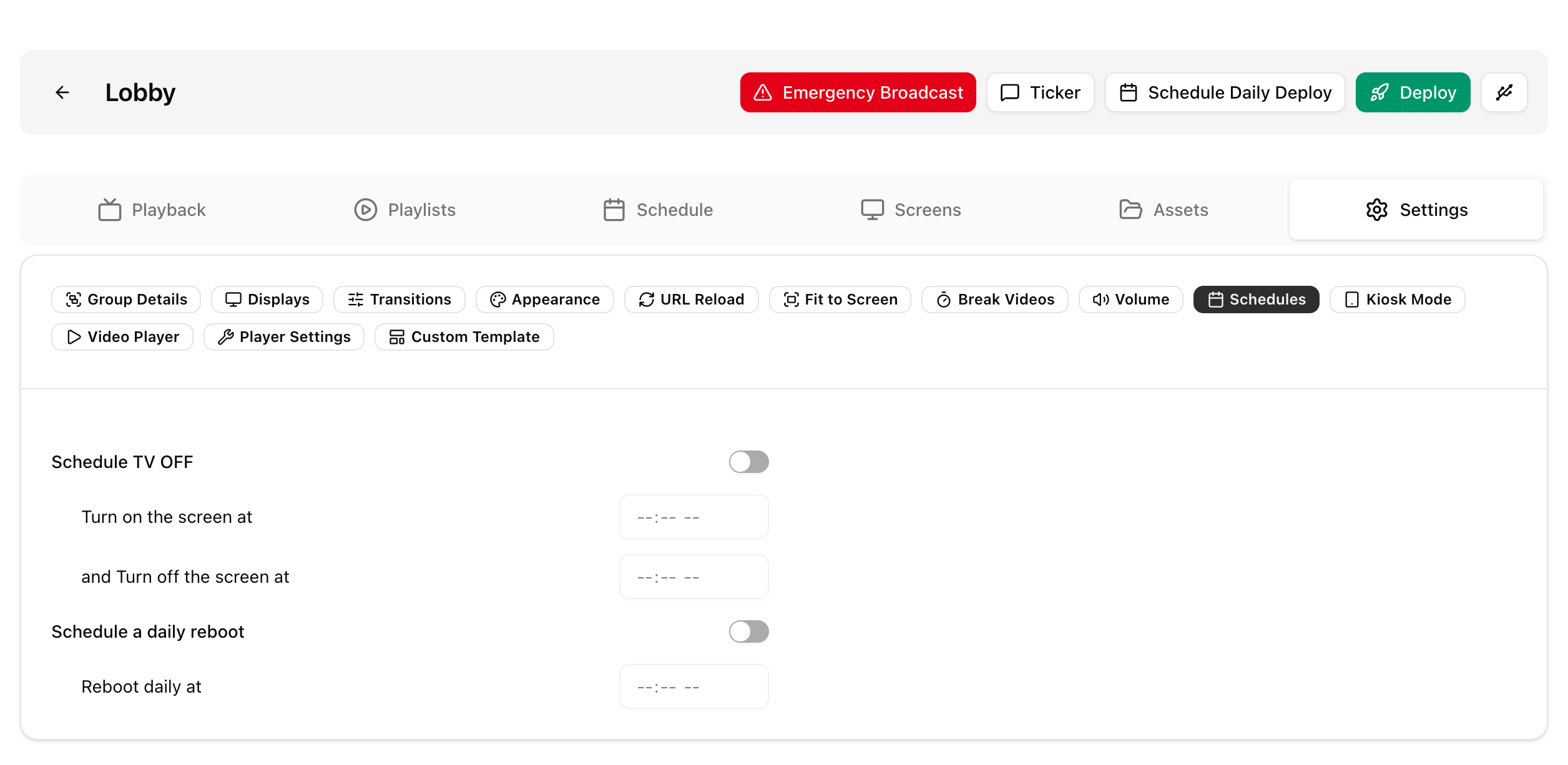
- In the legacy UI, go to Group, then Display settings.
Only one time period is supported, and it is the same on every day of the week. Switching the TV off or on can be delayed by up to 5 minutes.
B. Schedule a TV_OFF playlist
Set TV_OFF as the group's default playlist and schedule your other playlists at specific times. The TV turns off whenever no playlist is scheduled to play. In the new UI, playlists are scheduled on the group's Schedule tab.
For example, place TV_OFF first in the scheduled list and set it for Saturday and Sunday so the TV is off on weekends. See Groups.
C. TV schedules on a Location (new UI)
- Assign the players to a location, then open the location under Locations.
- Under TV Schedules, click Add Schedule.
- Enter a name, the TV on and off times, and the days of the week.
- Tick All day (TV off for the whole day) for days the TV should stay off.
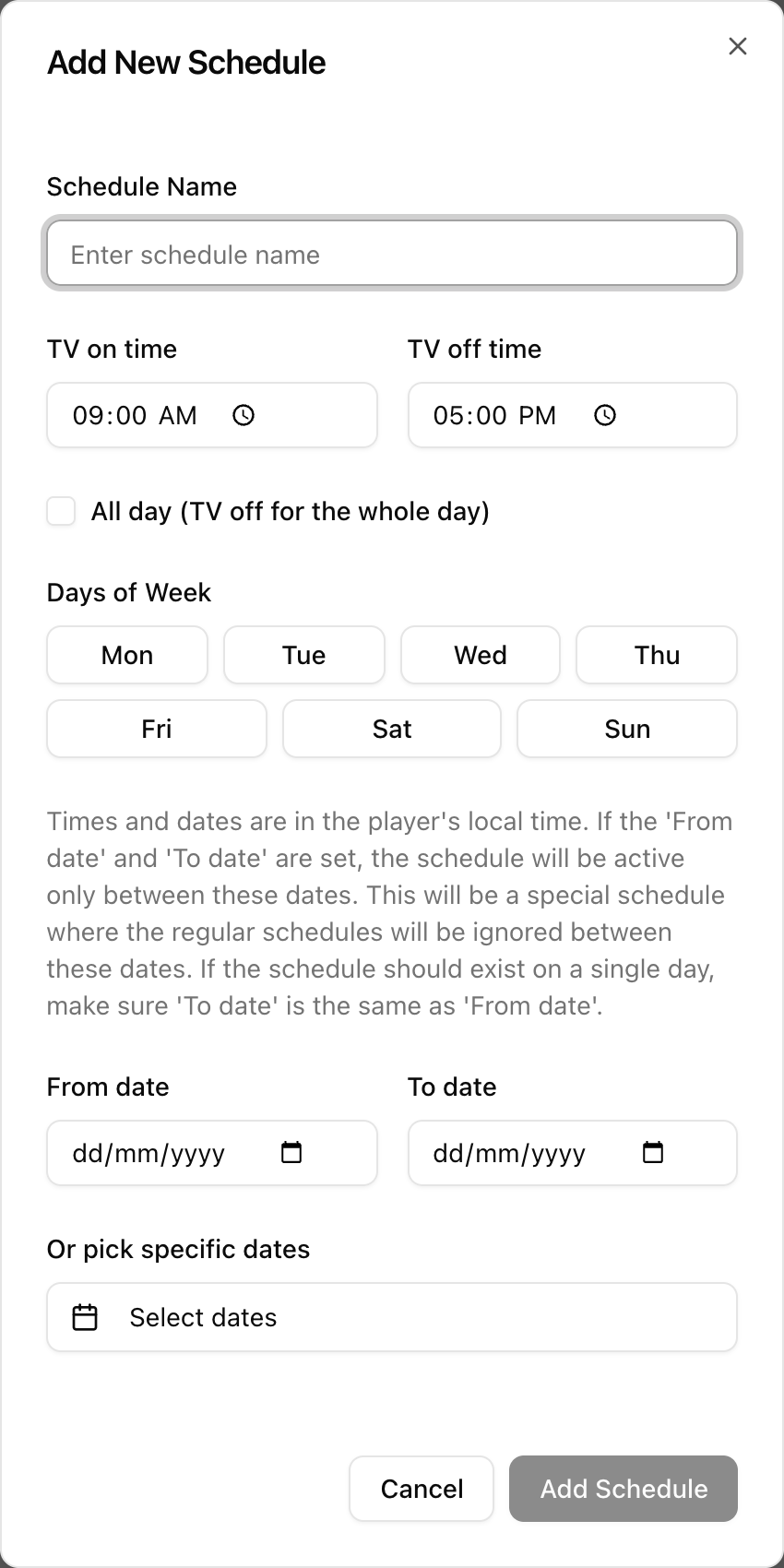
You can add as many schedules as you need, so different days can have different times. An optional From date and To date (or specific dates) makes a special schedule, such as a holiday. On those dates the regular schedules are ignored. Times and dates use the player's local time.
- Deploy the location's groups after adding or editing a schedule. Each player then applies it daily on its own.
- A location's TV off period takes priority over a group playlist scheduled for the same time.
Locations covers the same in more depth.